
Instagram has been busy. In the last few weeks it announced long videos (yes, really), and it's been enforcing a much smaller hashtag limit since the end of last year. Then yesterday it finally put its Edits video app on desktop.
None of these change the basics. Good content, posted consistently, still wins. But they do change a few habits, so here's what each update is and what we'd actually do about it.
1. Long-form video is coming back to Instagram
On October 26, Instagram head Adam Mosseri and VP of product Tessa Lyons announced a new long-form video format called Features. Mosseri admitted he'd been against long videos on Instagram for years. Now they're leaning in.
The quick facts:
- Features are horizontal videos that can run up to 90 minutes.
- It started as a test with a limited group of creators, so most accounts don't have it yet.
- Clips from a long video can show up in Reels as teasers, and multiple Reels can point back to the same Feature.
- Instagram is building these for TV too, so someone can find you in Reels on their phone and finish watching on the couch.
You can already see the shift. Longer, horizontal videos are popping up in Explore, with the run time showing right on the thumbnail.

What this means for your business
Please don't start filming 90-minute videos. Reels are still where people discover you.
What's worth thinking about is the content you already explain at length. A full walkthrough of a treatment. A tour of a listing. A Q&A you'd normally do on a call. That kind of video can live as one longer piece, with a few short Reels cut from it that send people to the full thing. Film once, post four or five times.
2. You can only use 5 hashtags now
If your captions still end with a big block of hashtags, Instagram will stop you. The limit dropped from 30 to 5 per post or Reel, announced by Instagram's @creators account in December 2025. Try adding a sixth and you get this message:
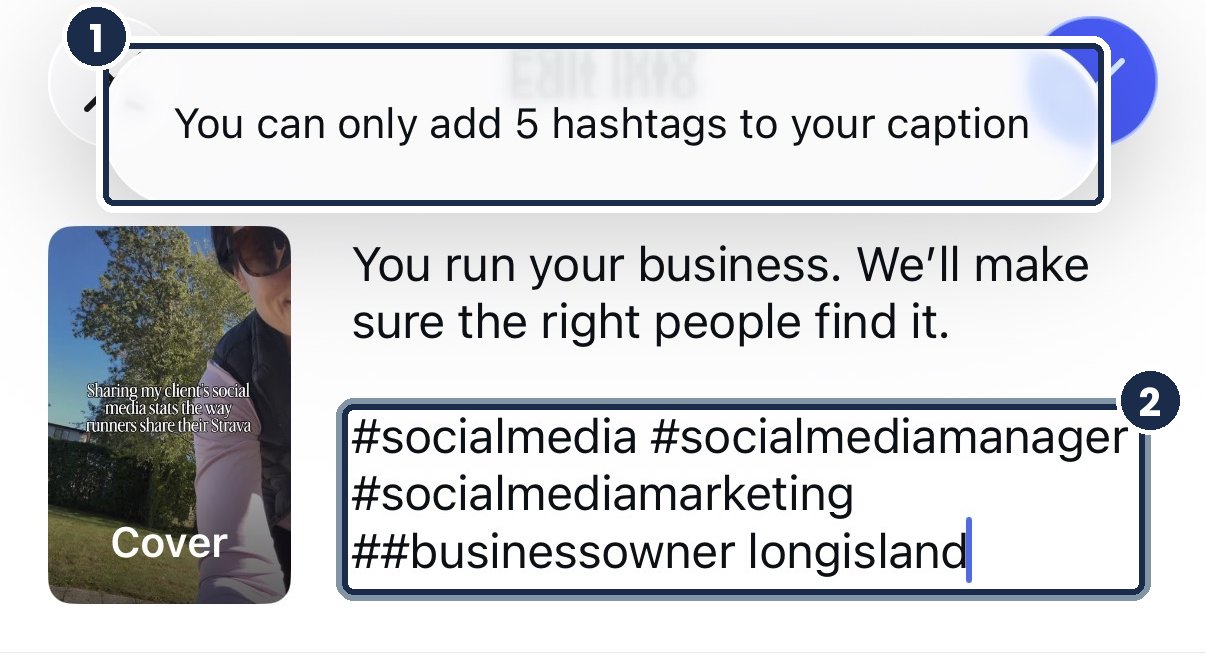
A few things people miss:
- Five is the total. Five in the caption plus five in the first comment counts as ten, and that won't post.
- You can't follow hashtags anymore. Instagram removed that back in December 2024, so a hashtag no longer pushes your post into anyone's feed.
- Instagram's own advice is to put keywords and hashtags in the caption, not the comments.
What we'd do
Think of hashtags as labels now, not a reach hack. Pick three to five that describe the post and the people it's for. A local business should almost always use one location tag, like #longislandbusiness or your town.
Then put the real effort into your caption. Instagram search reads the words in your caption, your name and your bio. Writing "Botox and lip filler in Huntington" in plain words will do more for you than #beauty ever did.
3. Edits is finally on desktop (Mac only for now)
This one launched yesterday, November 5. Edits, Instagram's free video editing app, now has a desktop version you can download from the Edits website.
The catch: it's Mac only, and you need an Apple silicon Mac (M1 or newer). No Windows version yet.
We opened it right away. Here's what you're looking at:
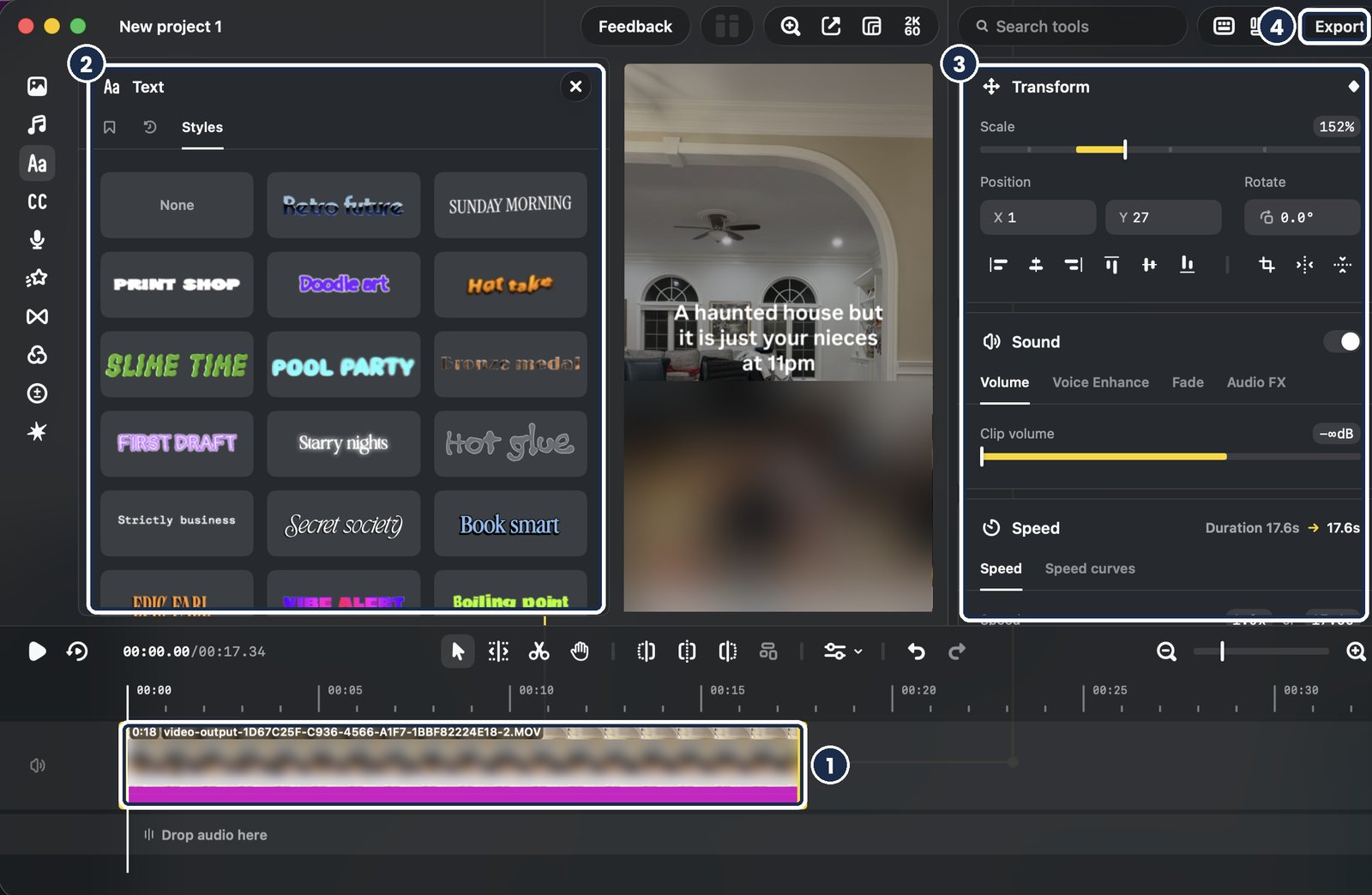
- The timeline. A real multi-track timeline, so you can stack clips, music and sound and line up cuts with the beat.
- Text styles. The same styles you know from the phone app. Any audio and text styles you saved on your phone show up here when you sign in.
- Transform, sound and speed. Scale, position, volume, fades and speed, all in one panel instead of buried in menus.
- Export. Export in up to 4K with no watermark, or post straight to Instagram with tags, location and Trial Reels.
It also has keyframes, color tools and automatic captions. One limitation for now: you can't start a project on your phone and finish it on your laptop. Instagram says that's coming, along with weekly updates.
Who should use it
If you edit anything longer than a quick Reel, try it. A bigger screen makes trimming, captions and timing so much easier, and it pairs nicely with long-form video. You can edit and post a horizontal video without ever moving the file to your phone.
If you film and post everything from your phone in five minutes, the mobile app is still perfect. No need to switch.
Keeping up with every Instagram change is a lot when you're also running a business. If you'd like someone to handle it for you, or to coach you through doing it yourself, that's exactly what we do.
← Back to the blog